UX/UI · ACCESSIBILITY · MEDICAL DEVICE

A pressotherapy device blind therapists can run on their own

Touchscreen interfaces for CarePump, a family of lymphatic drainage devices by BardoMed.
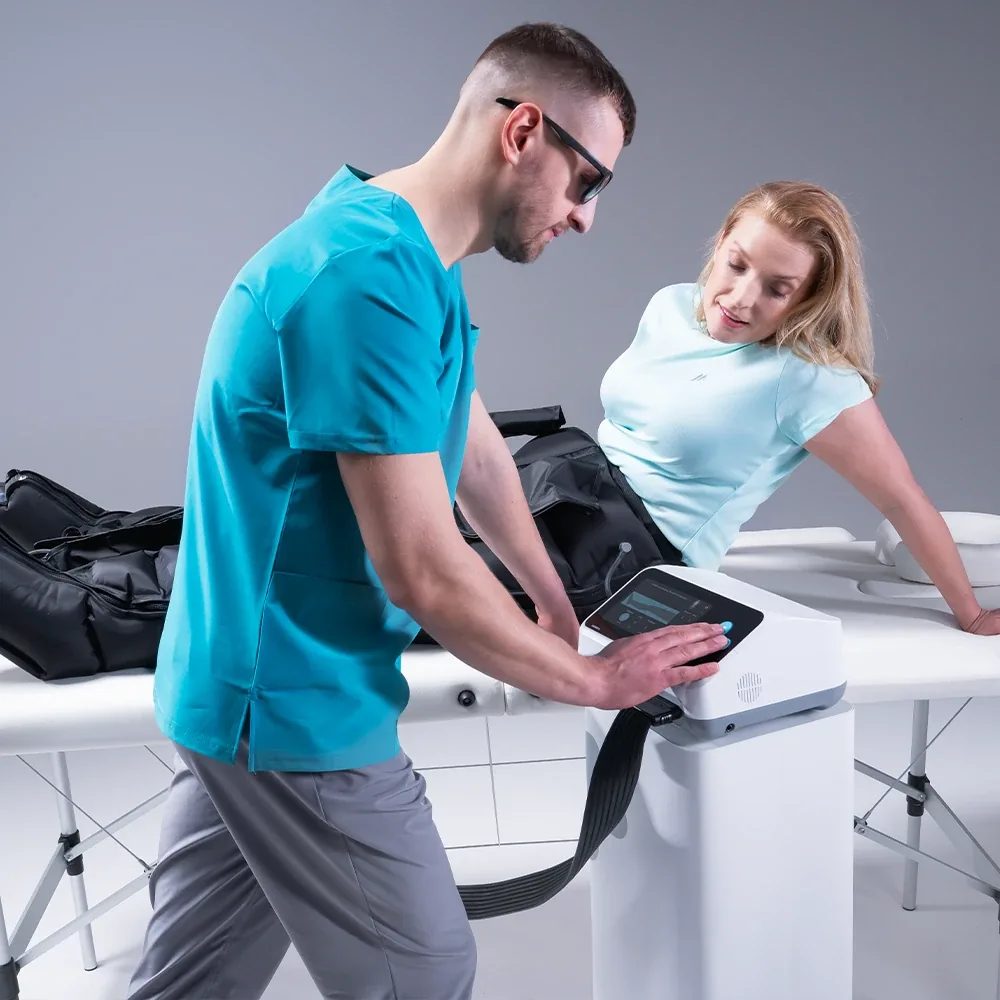
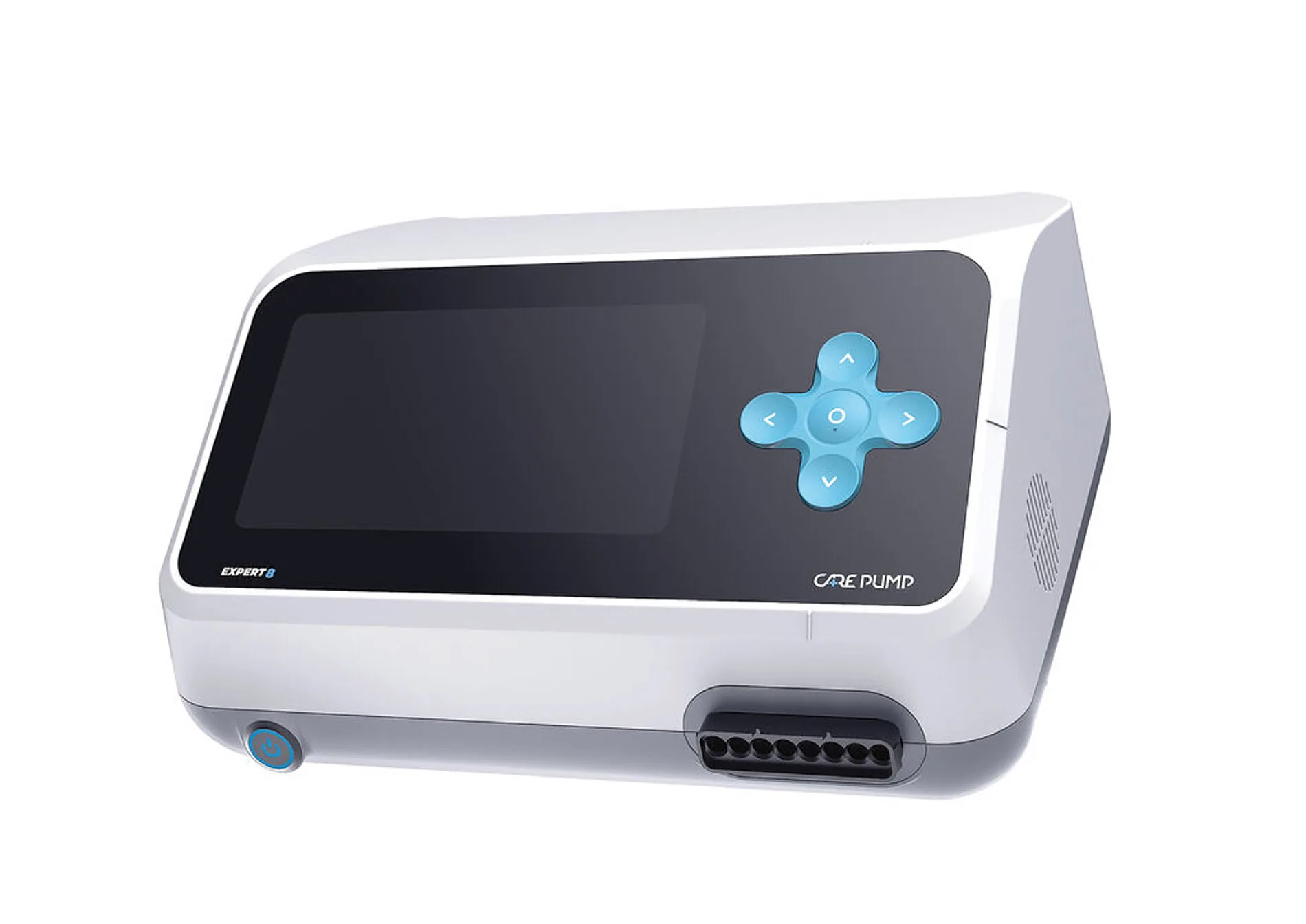
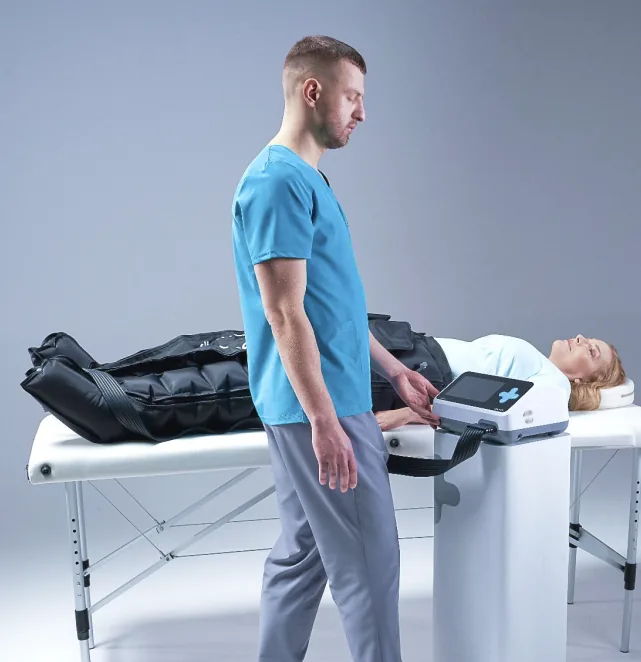
A physiotherapist operating a CarePump device during treatmentCarePump Expert8 device
ROLE

UX research, UI design and accessibility

CLIENT

BardoMed — Polish rehabilitation equipment manufacturer

METHODS

Panel review, competitor analysis, accessibility guidelines and specialist consultation

AWARD

Red Dot Design Award 2023, Product Design — team

TEAM

Husarska Design Studio — industrial design by Jadwiga Husarska-Sobina and Stefan Hamiga

01 THE PROBLEM

The best specialists could not use the device

Many lymphatic drainage specialists in Poland are blind or visually impaired. Yet pressotherapy devices rely on small screens and flat control panels, so those therapists could not operate them independently.
Therapist standing beside a patient using the CarePump system

WHAT THE REVIEW OF THE OLD PANEL SHOWED

01

Everything at once

Every setting sat on one panel, so nothing stood out at first glance.

02

Mixed typefaces

Several fonts on one small panel made the interface feel improvised.

03

No direct way to a mode

Therapists had to click through every mode to reach the one they wanted.

04

Gone in daylight

Key backlighting disappeared in normal room light.

02 RESEARCH

An audit before the design

The work combined a review of the existing panel, a benchmark of six international systems, accessibility guidance and direct discussion with therapists.
Previous CarePump control panel crowded with settings
The previous control panel
CarePump device and cuff examined during the research
Reviewing the device and its accessories
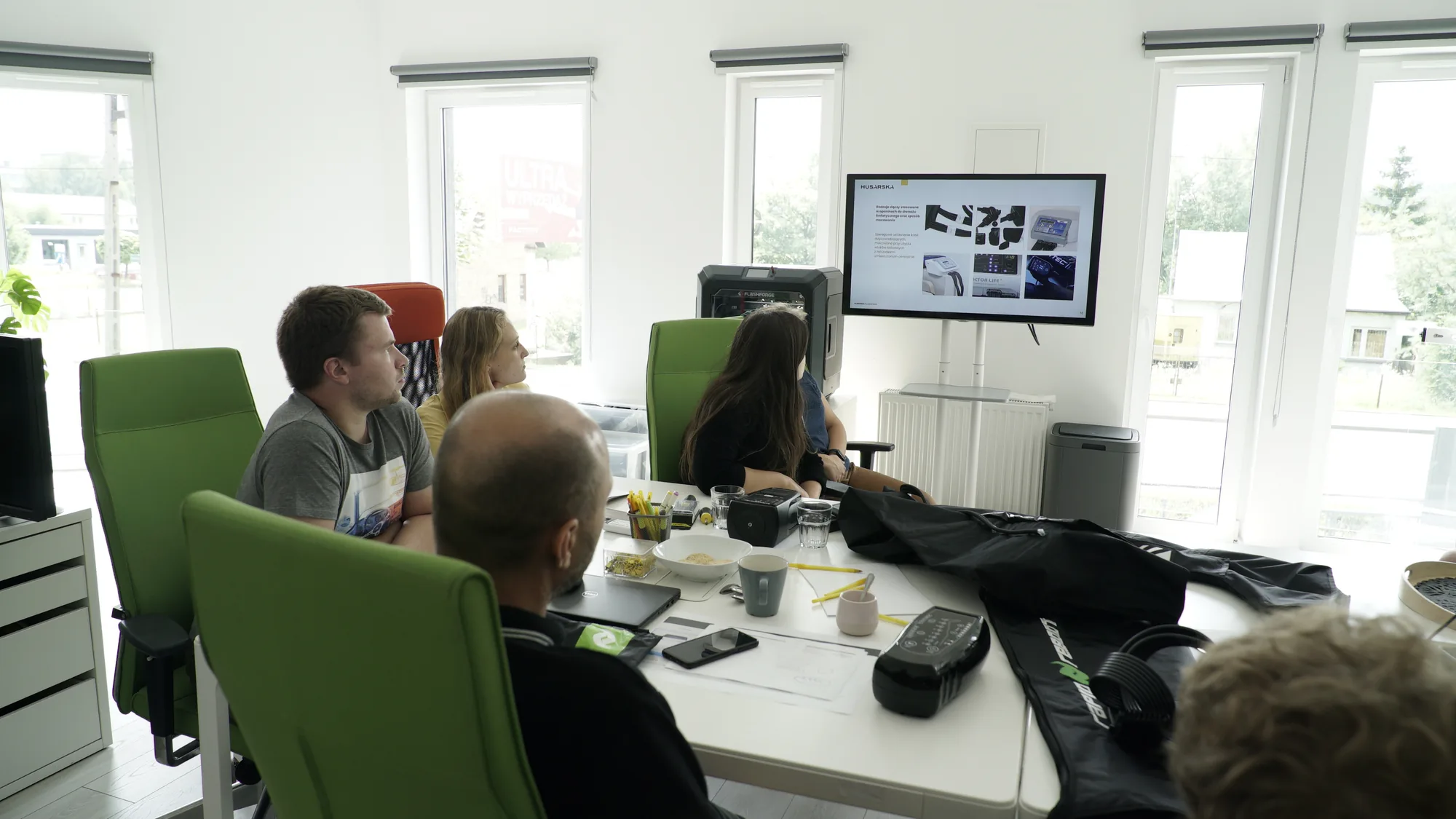
CarePump project team reviewing research materials
Project workshop
01

Six competing systems

The clearest devices reduced the panel to start, mode, pressure and time.

02

Therapy shown, not described

An animated cuff with the active chamber highlighted explained progress without extra instructions.

03

Readable at arm’s length

The working rules became 18 pt text, touch targets of at least 40 px and captions for every icon.

04

Contrast without ambiguity

Black and white with one signal colour avoided dark violet or navy that could read as black.

03 THREE WAYS TO USE IT

One interface for three groups of therapists

01

Standard

Touchscreen control with the cuff drawn on screen and three dials for pressure, time and speed.

02

Visually impaired

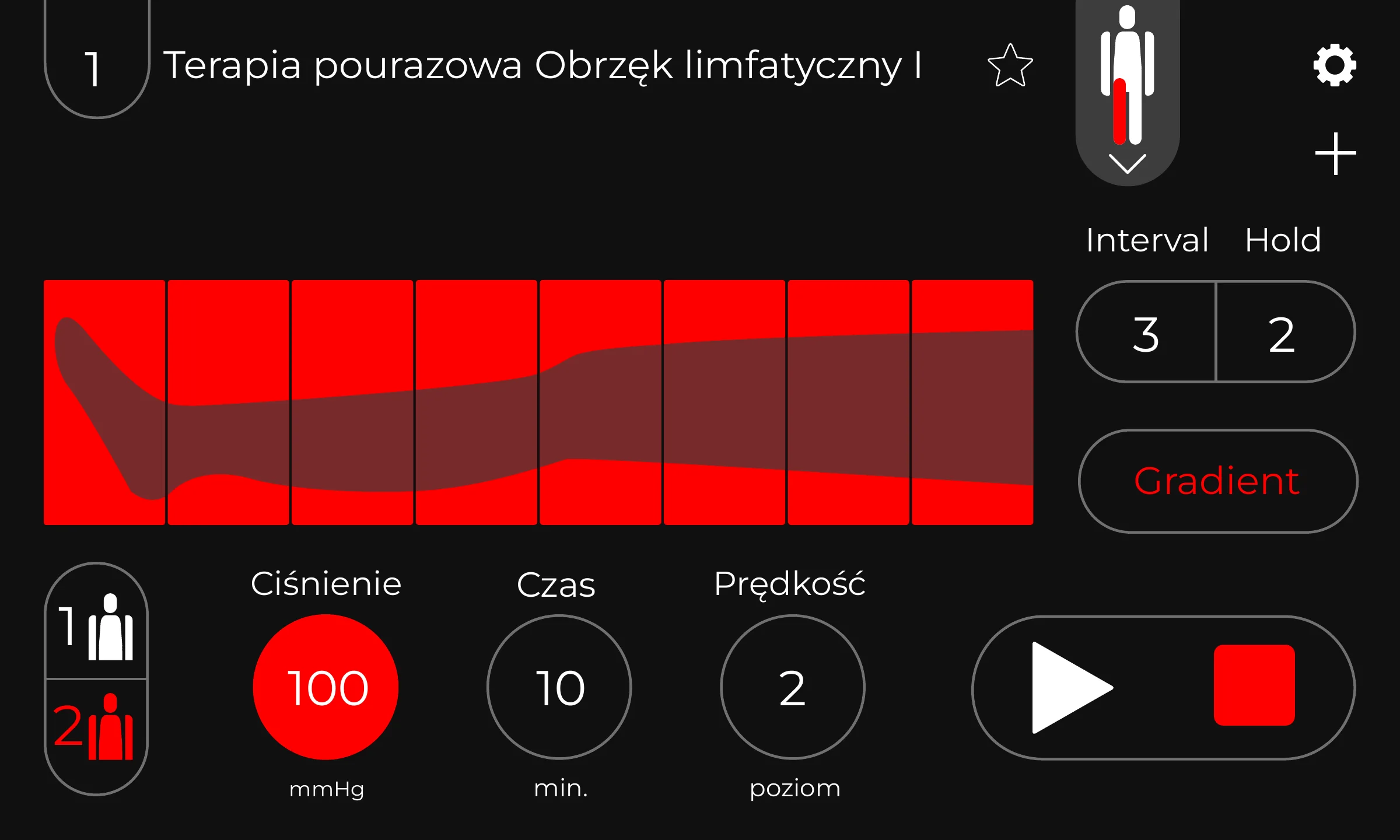
A high-contrast mode with a black background, large white numbers and one signal colour.

03

Blind therapists

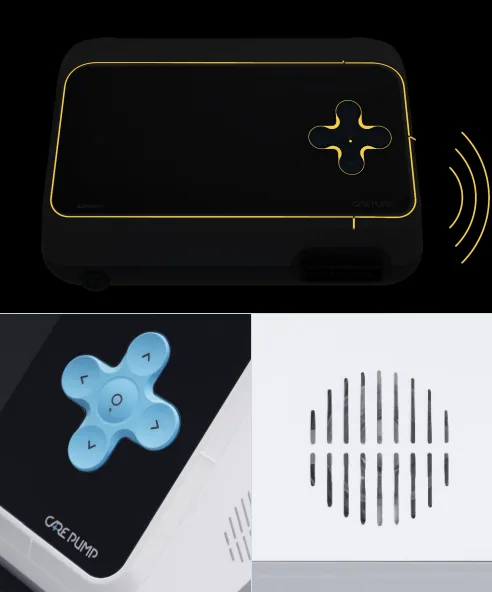
Voice prompts for every step, a cross keypad with directional markings and tactile cues on the casing.
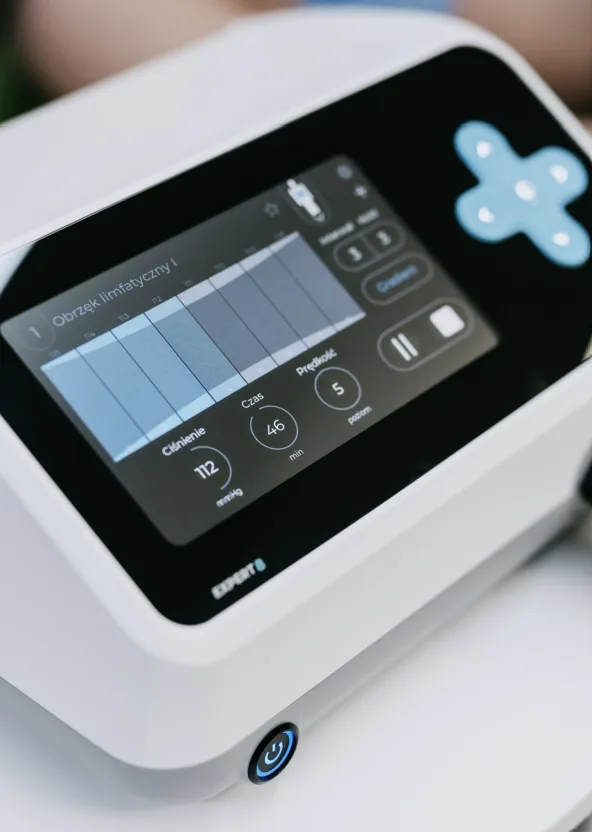
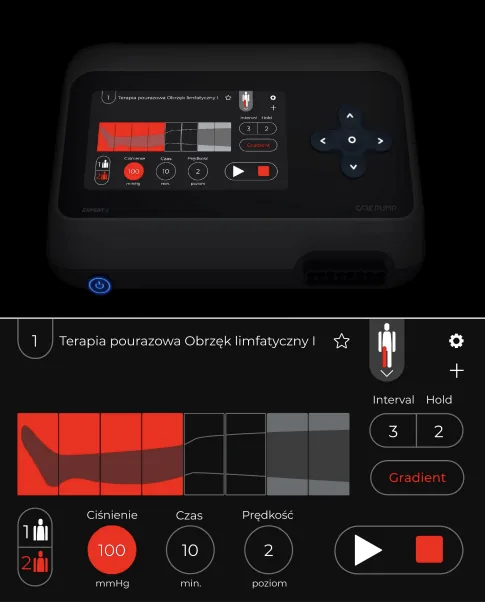
CarePump interface audit and high-contrast screen
Interface audit
Accessibility rules prepared for the CarePump interface
Accessibility rules
Tactile and voice interaction notes from specialist consultation
Notes from consultation
Developed with Sebastian Biały — physiotherapist, manual lymphatic drainage specialist and President of the Polish Association of the Blind in Silesia.

04 INTERACTION MODEL

The cuff on the screen

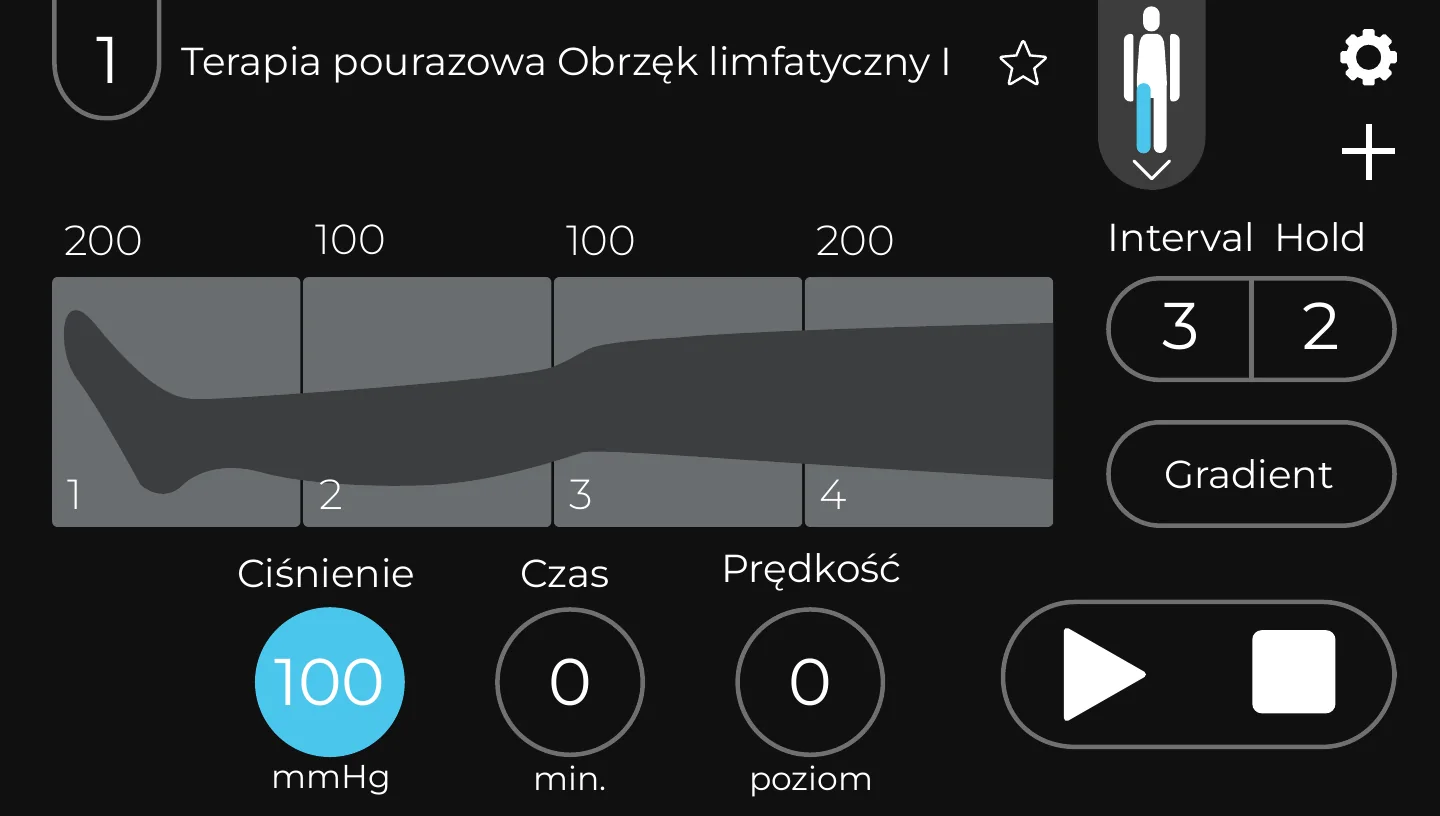
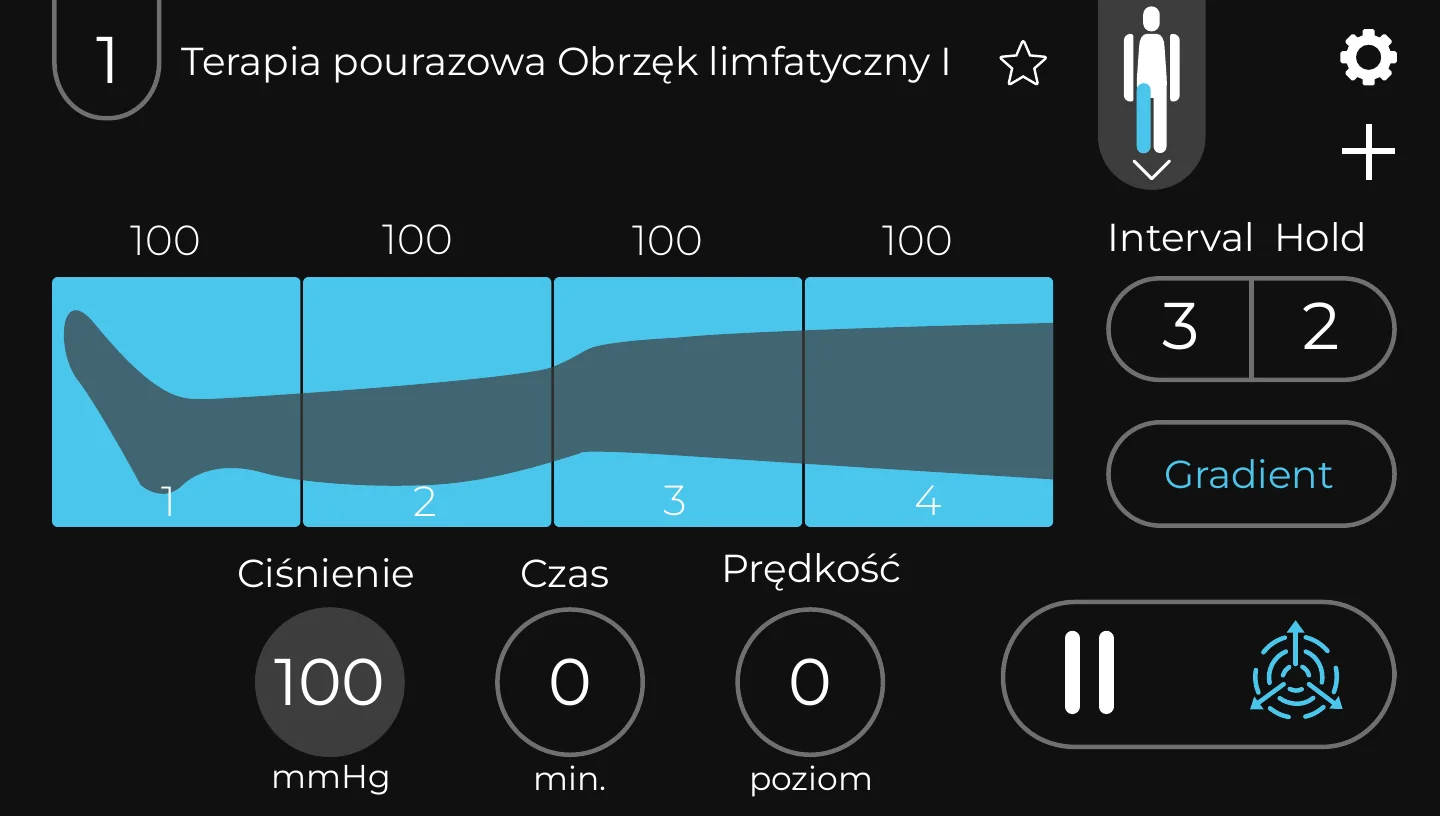
Each chamber became a numbered bar, stacked in the same order as the physical cuff. Pressure sits beside the chamber, three dials control the treatment, and one pill starts or stops it.
CarePump Expert8 interface with chamber bars and treatment controls
01

Per-chamber pressure

Each chamber is a numbered bar. Tap it to set pressure; the fill shows the chamber inflating.

02

Three fixed dials

Pressure in mmHg, time in minutes and speed as a level always stay in the same place.

03

Advanced settings on demand

Gradient, interval and hold sit behind one outlined button instead of competing with daily controls.

05 EVERY STATE DESIGNED
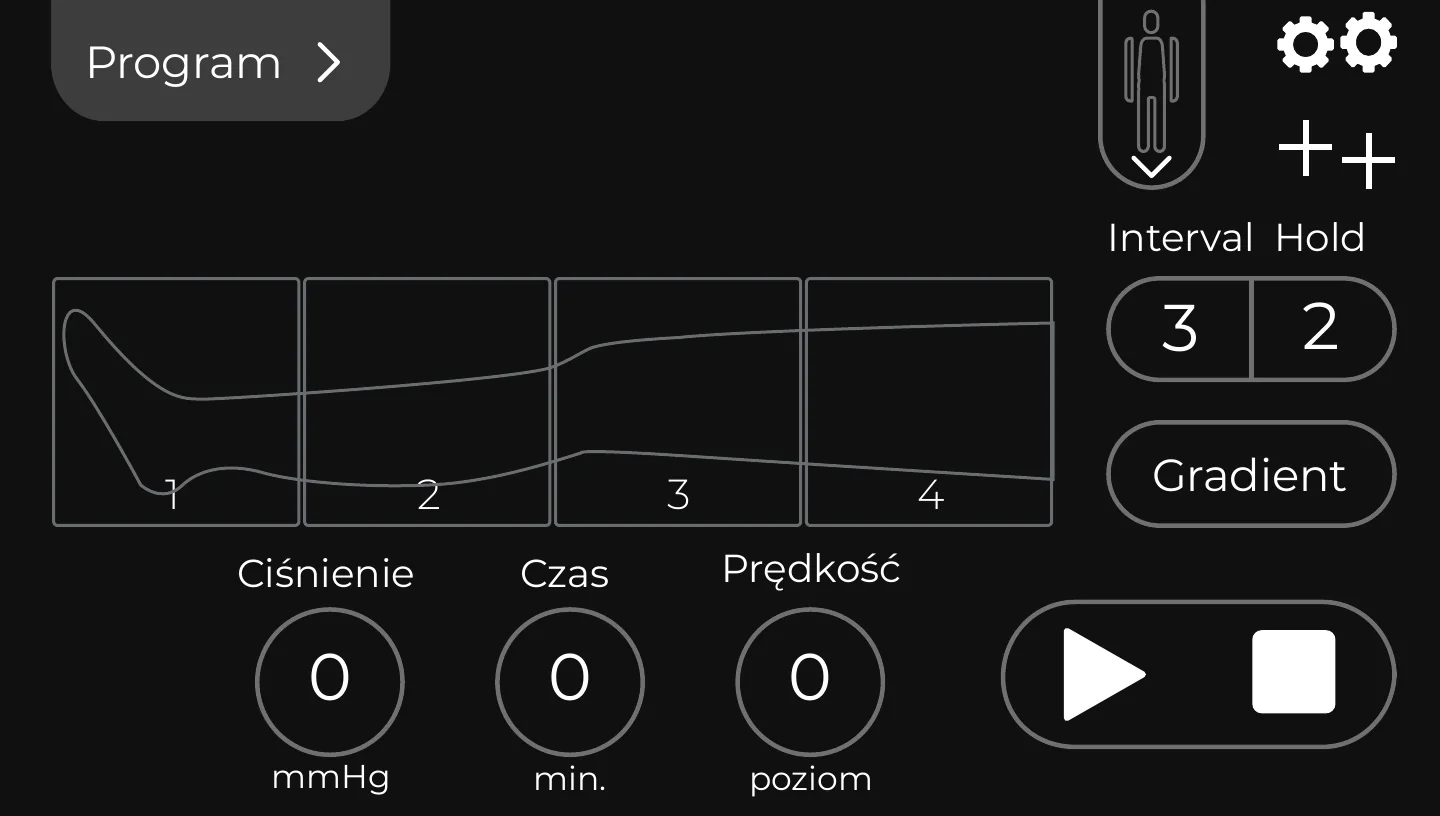
From an empty program to a running therapy

Empty program

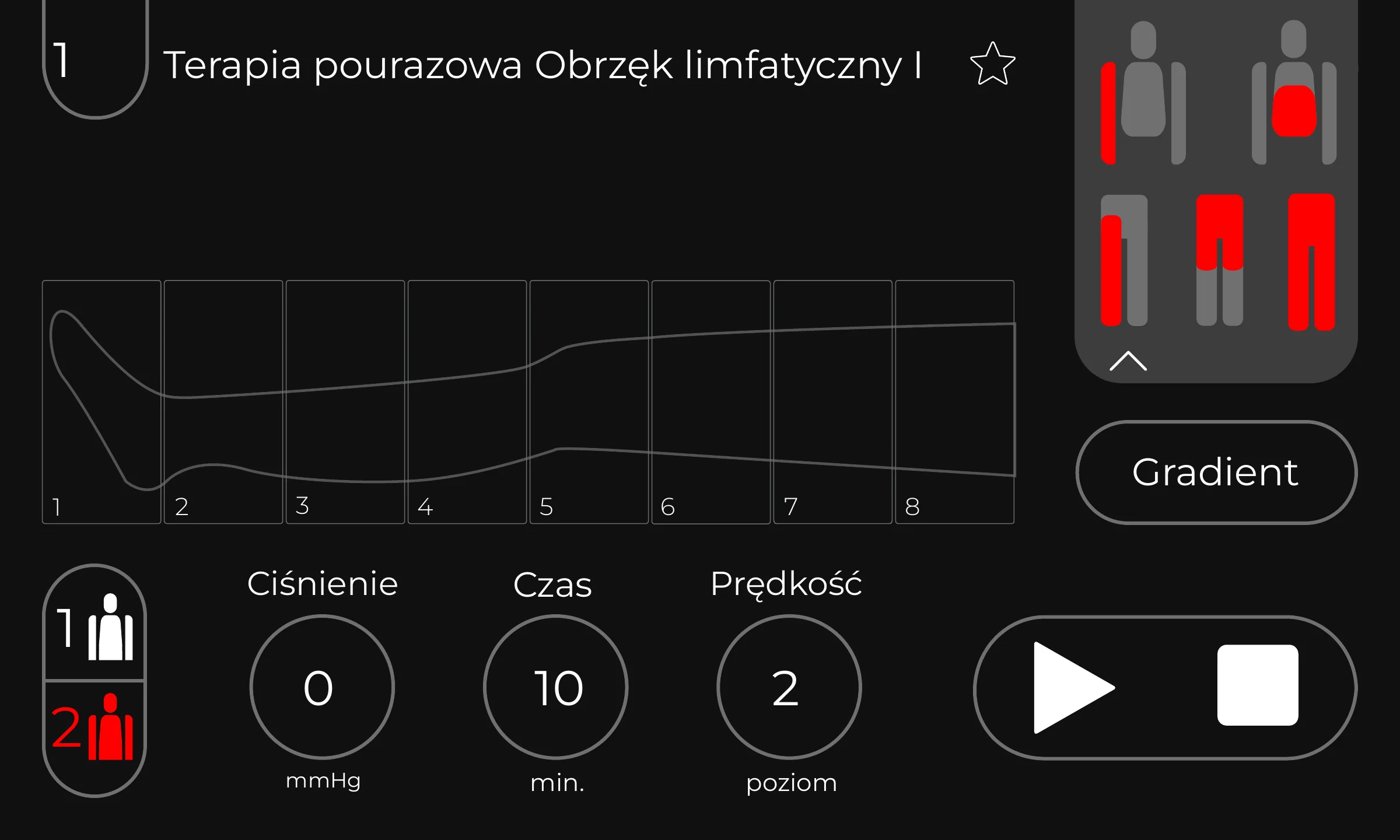
The cuff begins as an outline, so its shape already explains what will be configured.

Setting values

Numbers open in a large picker, readable at arm’s length and confirmed with one action.

Running

Chambers light up one by one; pause and stop remain in a predictable position.

06 EXPERT8 · PROFESSIONAL
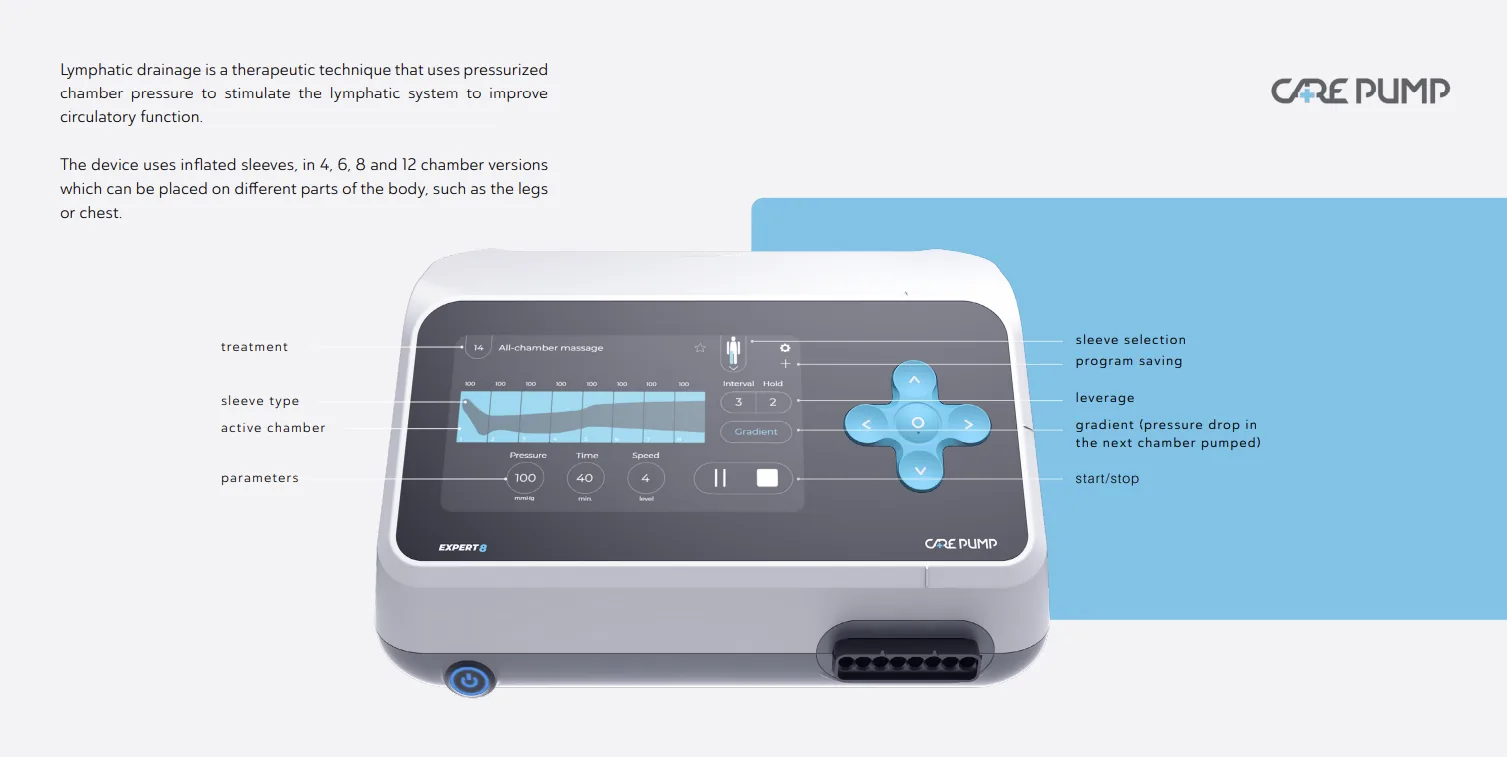
Daily controls stay visible. Advanced settings wait.

The professional model supports individual pressure for eight chambers, fine parameter adjustment and reusable therapy programmes without putting every option on the first screen.
CarePump Expert8 device with interface and hardware callouts
8

chambers with individual pressure

100

programmes can be saved on the device

25

pumping cycles available in one programme

ADVANCED SETTINGS AND HIGH-CONTRAST MODE
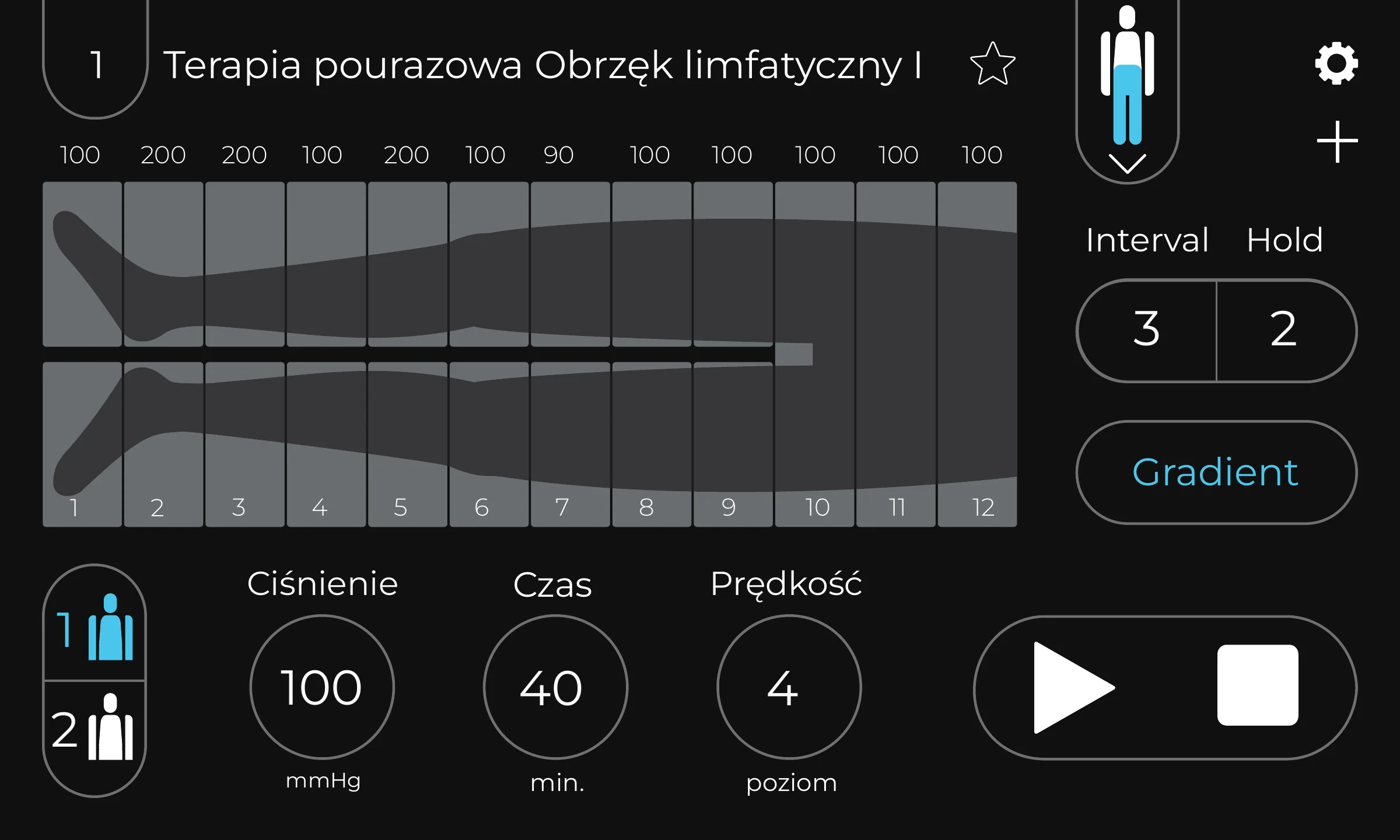
07 EXPERT8 · COMPONENTS AND LANGUAGES
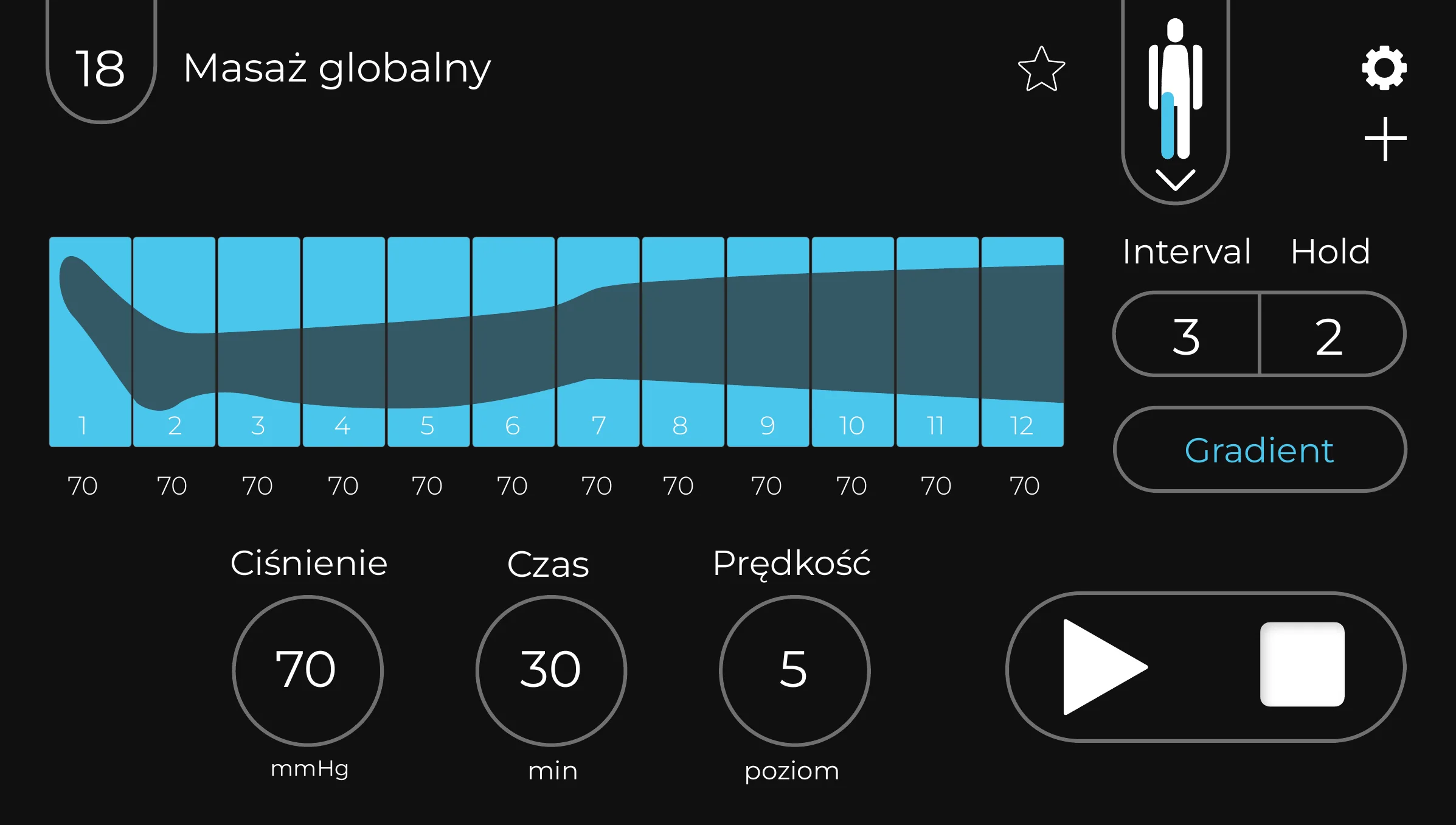
One system across EXPERT8 variants

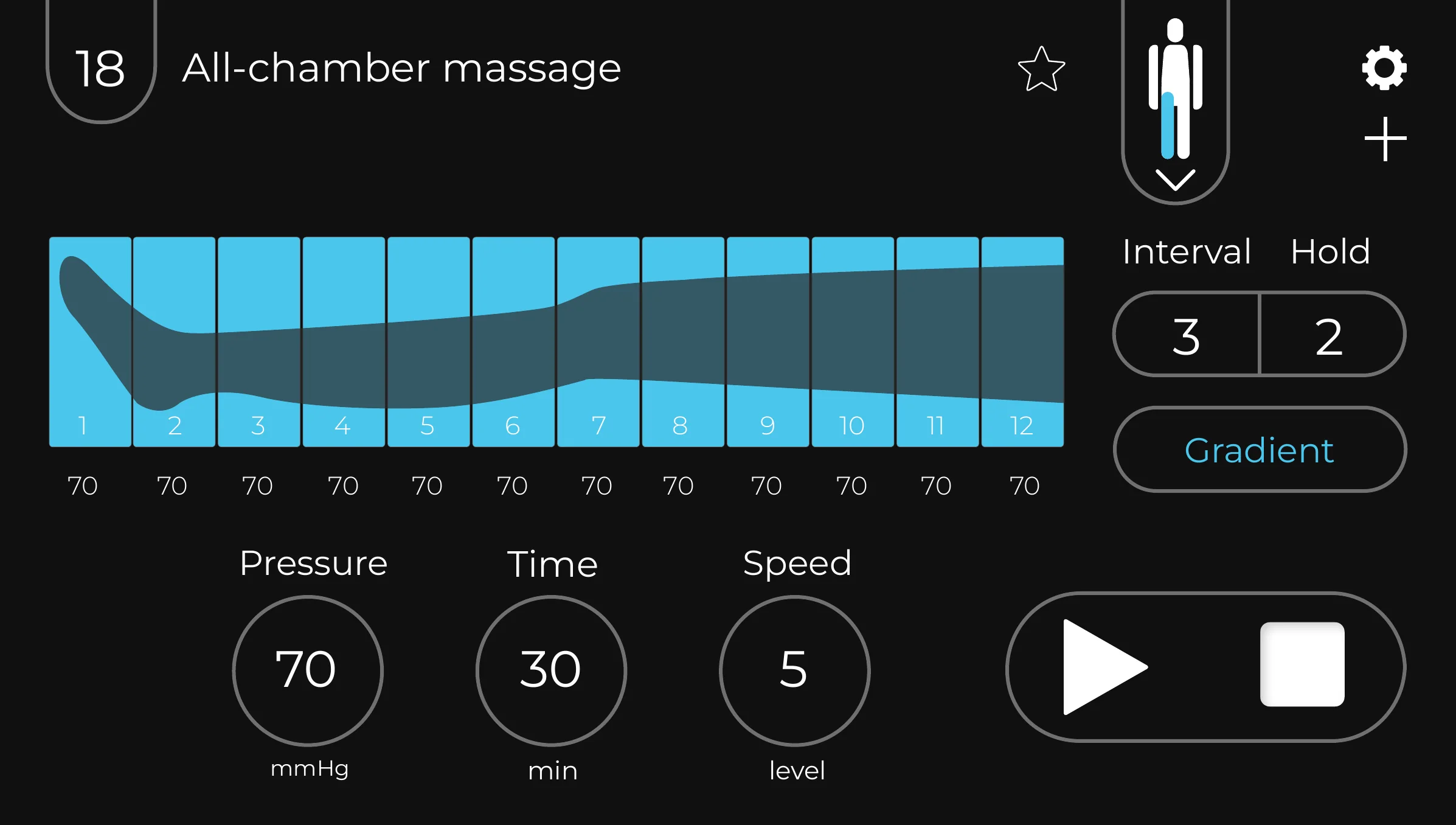
The professional interface scales its chamber bars for 6-, 8- and 12-chamber configurations. Translation changes words rather than layouts.
CarePump EXPERT8 interface adapted to a twelve-chamber cuff
EXPERT8 · twelve-chamber cuff
CarePump EXPERT8 all-chamber massage interface
EXPERT8 · all-chamber massage

SEVEN LANGUAGE VERSIONS

PLENDEFRITHUNL

The same hierarchy was preserved across versions, including long therapy names and advanced settings.

08 MOVE · PORTABLE
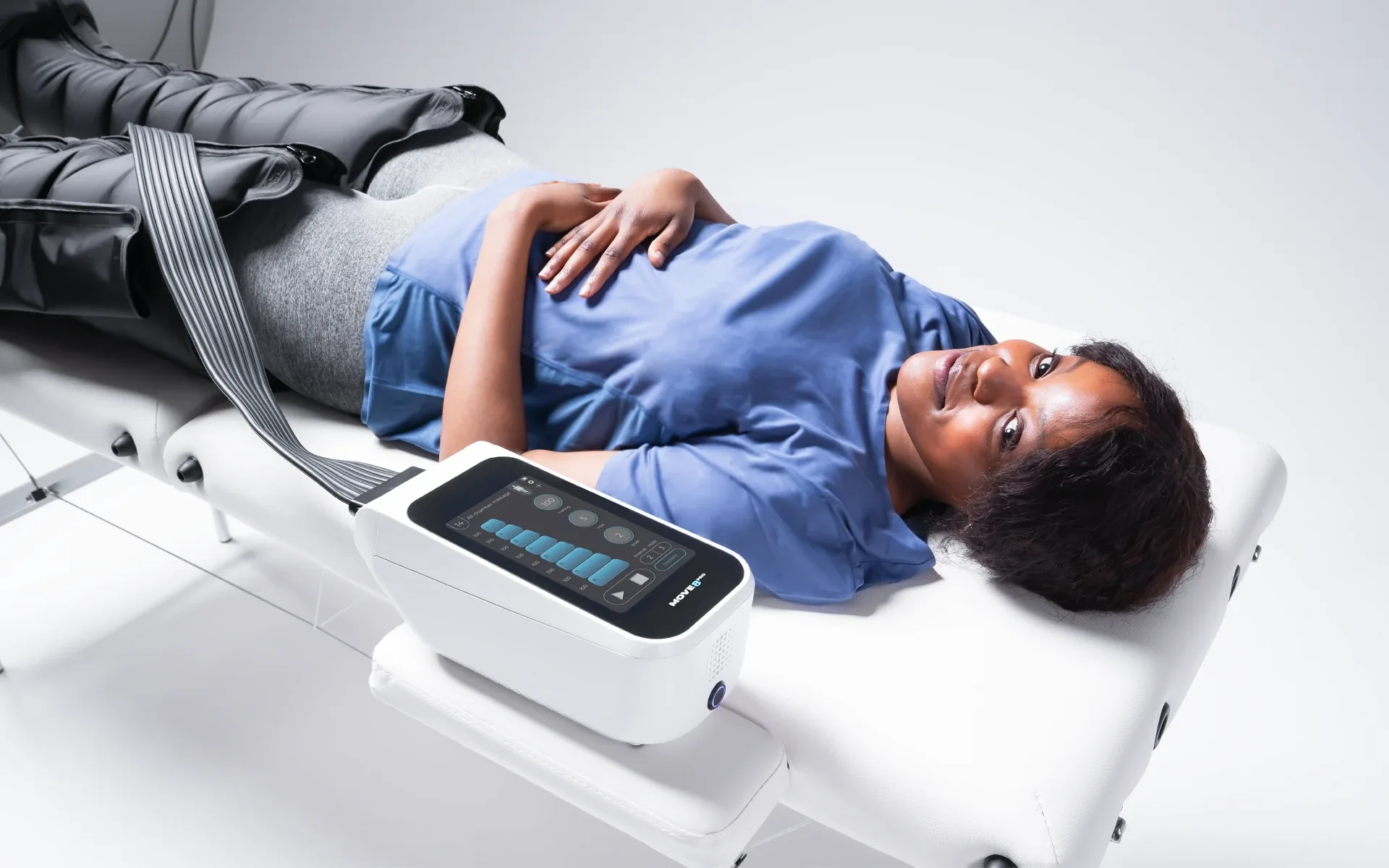
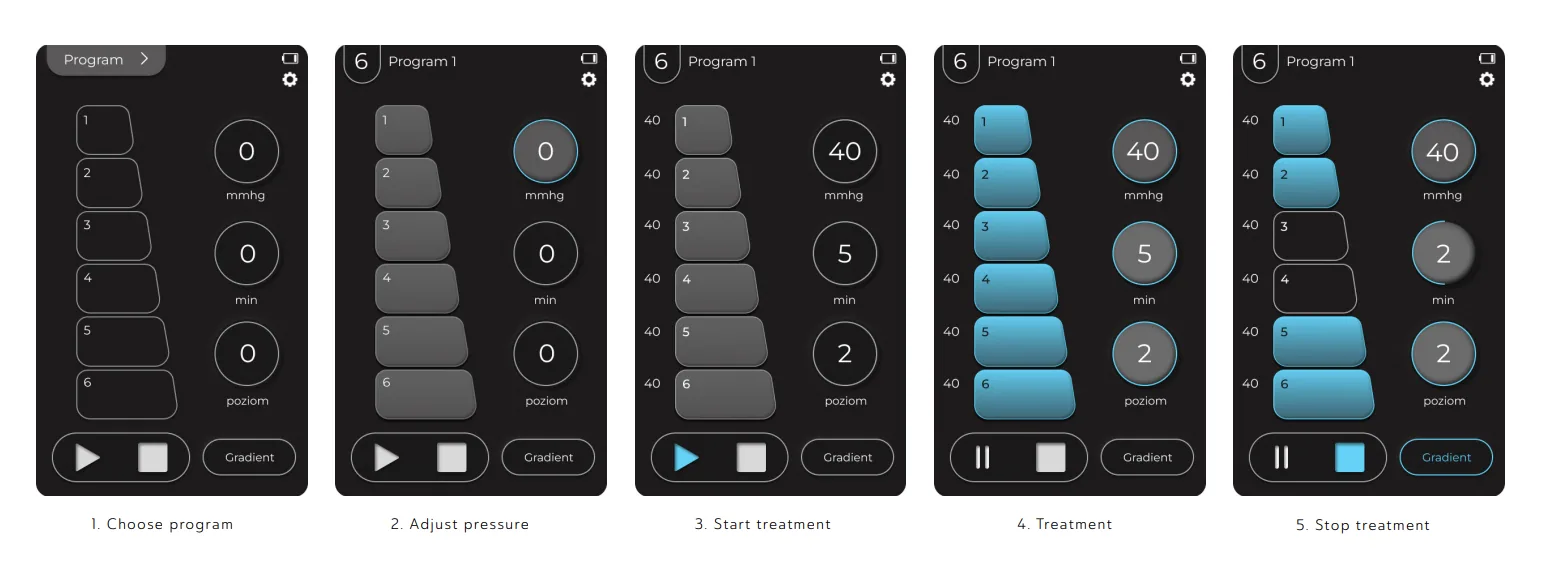
The interface adapts to the selected cuff

MOVE is the smaller device for home and mobile therapy. Its portrait interface presents the chamber layout for the selected cuff.
CarePump MOVE used during a therapy sessionCarePump MOVE interface flow from choosing a programme to stopping treatment

09 THE PRODUCT

Recognised for designing with the user in mind

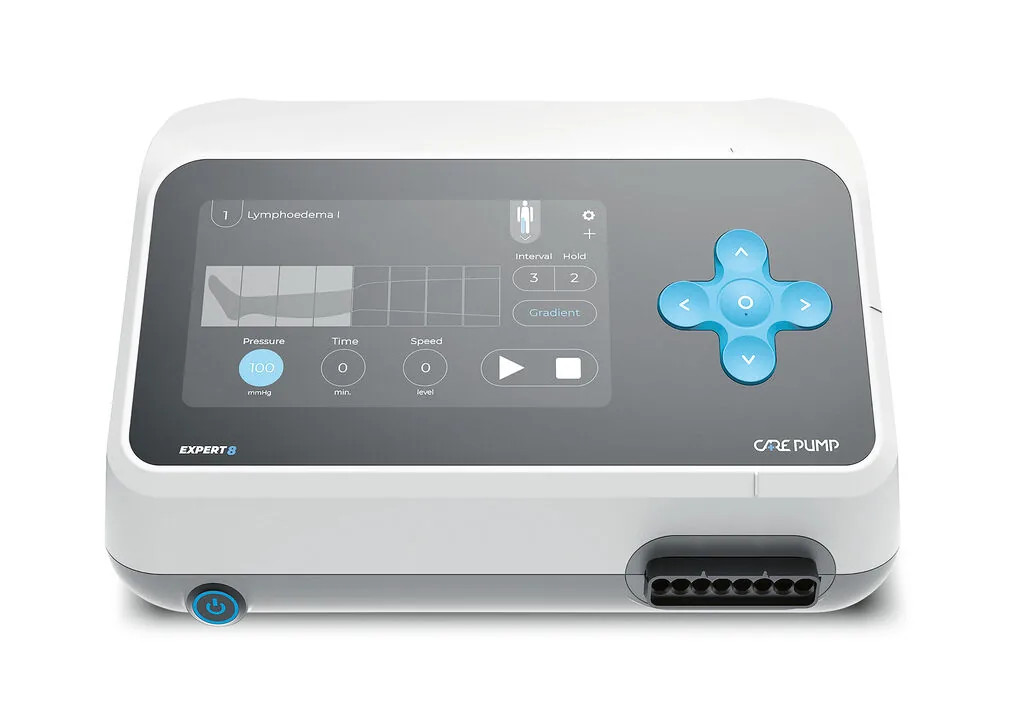
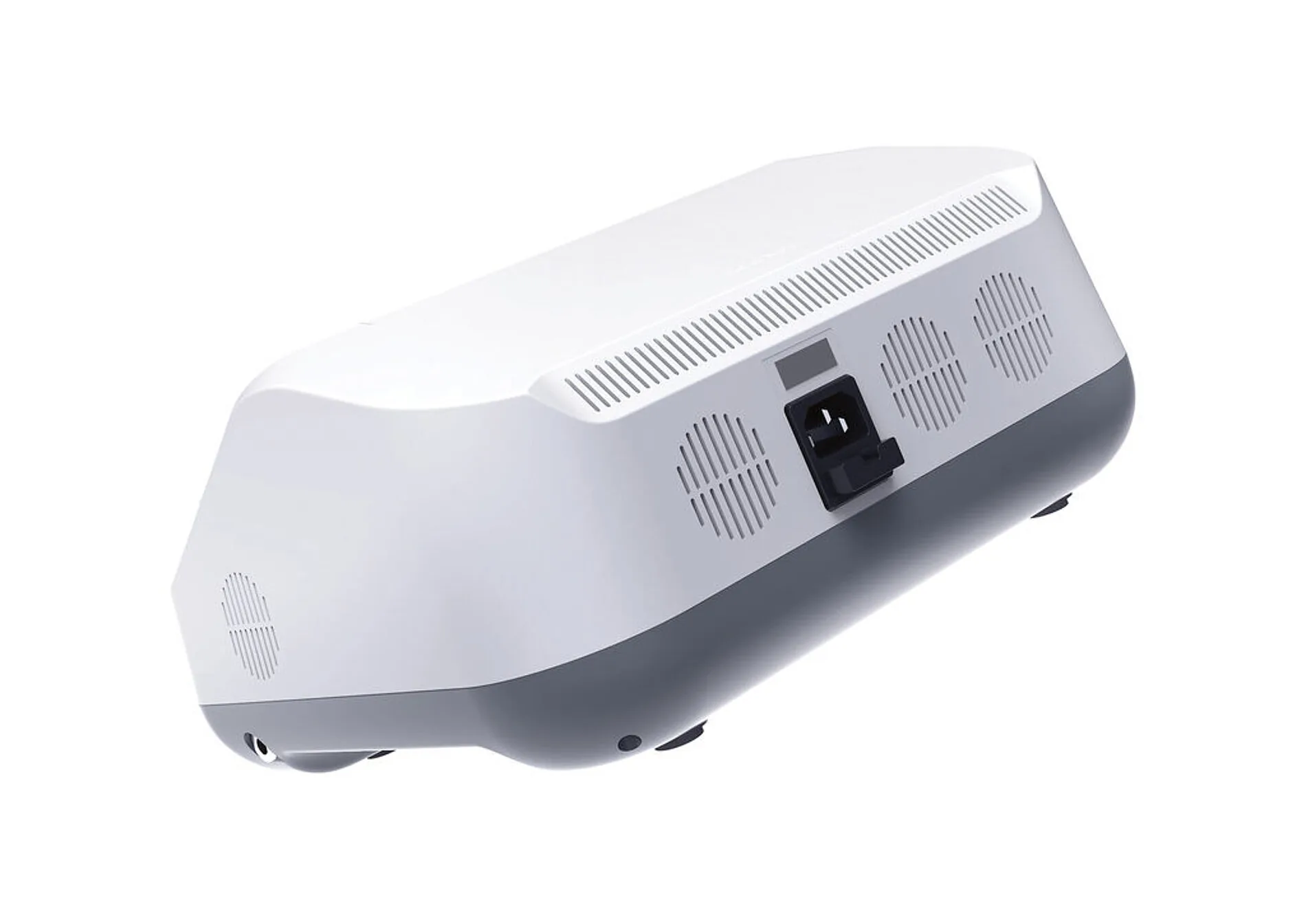
Voice prompts and tactile markings on the casing and keypad allow visually impaired therapists to operate the device without relying on the screen alone.
Front view of the CarePump Expert8 device
EXPERT8 — touchscreen and cross keypad
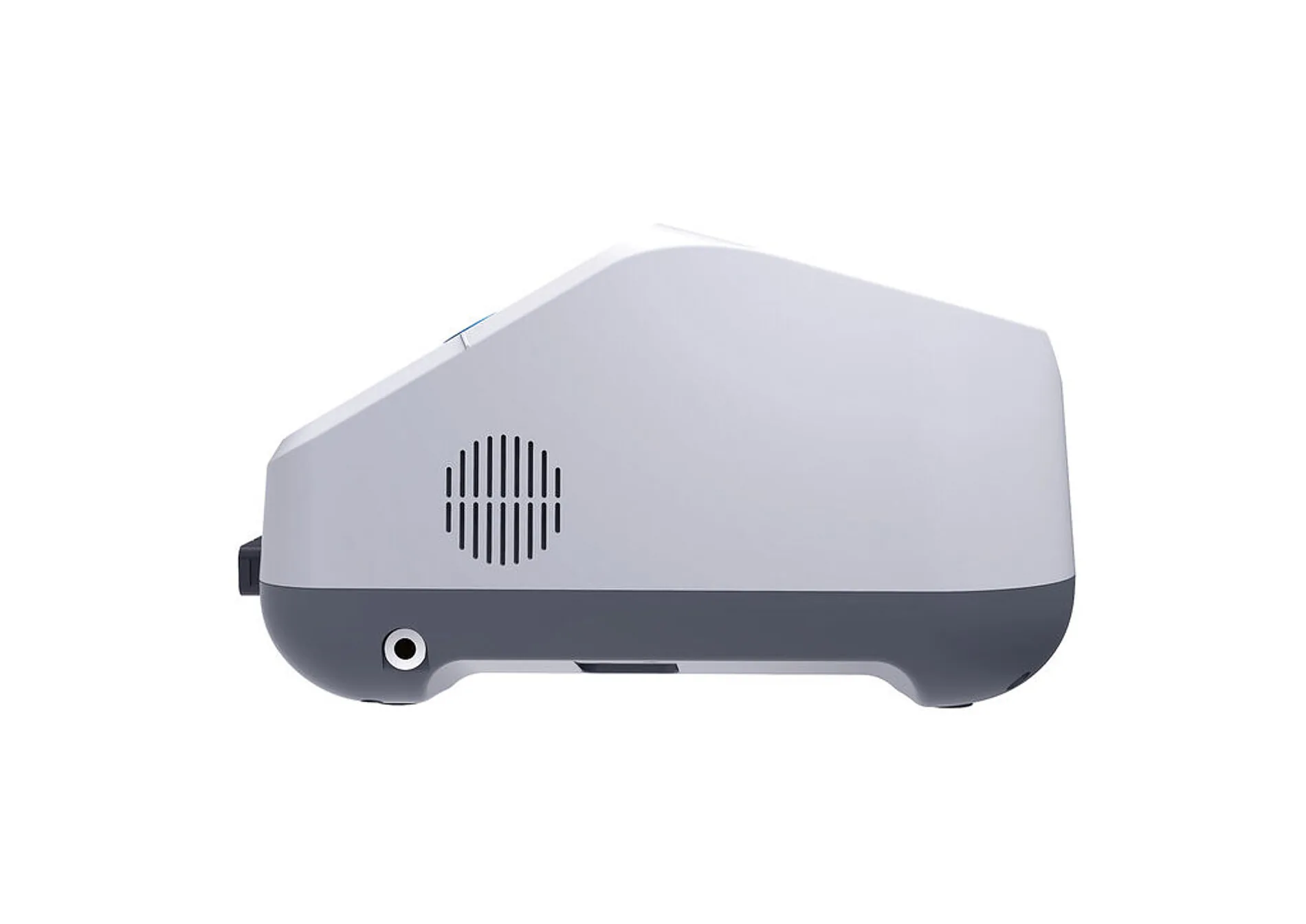
Side view of the CarePump Expert8 enclosureRear view of the CarePump Expert8 enclosure

10 STATUS

Red Dot Design Award 2023

CarePump EXPERT8 received the Red Dot Design Award 2023 in Product Design. The jury highlighted a design concept developed around the people who operate it — including those who cannot see the screen.
DEVICES

EXPERT8 · MOVE

MODES

Standard · High contrast · Voice

LANGUAGES

7 interface versions

AWARD

Red Dot 2023

MY PART

— UX/UI review of the old panel

— Accessibility rules for older and visually impaired users

— Interaction model for both devices

— UI for EXPERT8 and MOVE

— High-contrast mode and language versions

HANDED OVER

— Screens for every state

— Reusable component sheet

— Versions for 6, 8 and 12 chambers

— Polish and English interface copy