“Did anyone hear me?”
Existing buttons do not confirm that the call went through.
INTERACTION DESIGN · RETAIL · NO-SCREEN DEVICE
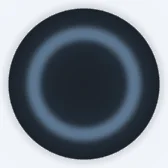
cPOD helps shoppers get an answer without searching for staff. One press starts a conversation: AI handles simple questions or calls the right person. I designed how the device explains each step through light and voice.
01 THE PROBLEM
In shortAnswer simple questions automatically and make every staff handover visible.
Existing call buttons only send a ping. Staff walk over without knowing why, while the shopper waits without confirmation.
WHAT WE HEARD FROM THE STORE AND THE CLIENT
Existing buttons do not confirm that the call went through.
Around two-thirds are “where is it?” or “how much?” — questions AI can answer immediately.
The device needs to be noticeable from 5–10 metres away.
A ping shows the location, not the question. Staff may arrive without the right key or product.
02 HOW I THOUGHT ABOUT IT
In shortColour shows status. Rhythm shows progress.
No screen. A noisy aisle. A press is easy to doubt.
A single flash the moment the button goes down — before any voice.
The microphone is invisible. People stop talking if nothing reacts.
While listening, the ring grows and shrinks with the shopper’s voice.
The AI needs a few seconds to answer.
A slow breathing rhythm, unrelated to sound — clearly different from listening.
No screen for an arrival time. Staff may be busy.
Blue while waiting, green once accepted. The green countdown blinks faster as staff get closer.
One button only. Older and blind shoppers.
Every voice prompt ends with the next step. Silent states get a short sound.
03 USER SCENARIOS
In shortEvery scenario follows the same five moments, from noticing the device to getting help.
DIY store · burst pipe at home, stressed
Sports store · with twins, hands full
Furniture store · wants a display set
Electronics store · avoids screens
04 INTERACTION MODEL
In shortOne rule set keeps AI answers, staff calls and errors consistent.

WhiteTalking with the AI

BlueRequest sent to staff

GreenStaff on the way / arrived

OrangeDidn’t catch that

RedDevice or service failure
AI PATH — QUICK ANSWER
 STANDBY→READY→
 LISTENING→PROCESSING→ANSWERING→FOLLOW_UP→COMPLETED
IF THE AI DIDN’T CATCH THE QUESTION
 CLARIFY
STAFF PATH — CALL A PERSON
CONFIRM_STAFF→ SEND_REQUEST→WAIT_ACCEPT→
 WAIT_STAFF→COMPLETED
CAN ALSO END AS
CANCELLED→CLIENT_ABSENTEXCEPTIONS — FROM ANY STATE
 SERVICE_ERROR→OFFLINE
05 DECISIONS
In shortClarity, accessibility and battery life mattered more than adding another signal or control.
INSTEAD OFOne colour per state
Seventeen colours nobody can learn. Two independent signals are readable even for people with colour-blindness: the rhythm still works without the colour.
INSTEAD OFA glow that is always on to attract attention
The battery has to last about five years. Visibility comes from the shape and the signage around the device; light is spent only during a conversation.
INSTEAD OFOne error colour for everything
A mumbled question is not a breakdown. Red would tell the shopper the device is broken — or that they did something wrong.
INSTEAD OFA number to read, or nothing at all
The store manager wanted an arrival time “like Uber”. With no screen, a rhythm that quickens as staff get closer says the same without reading.
INSTEAD OFA second “cancel” button
One button keeps the device obvious for everyone. Holding is a different gesture from pressing, and the device asks once before it gives up.
INSTEAD OFOpen questions like “How can I help?” and silence after
Shoppers in a hurry, older people and blind shoppers need to know what to do next. Silent states get a short sound for the same reason.
06 LIGHT LANGUAGE
In shortEvery movement answers a shopper’s question. None is decorative.
 01
01Press confirmed
 02
02Follows the speaker
 03
03Follows the shopper’s voice
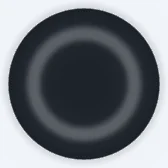 04
04Thinking
 05
05Back to rest
06Waiting for staff
 07
07Staff on the way
 08
08Staff arrived
 09
09Didn’t catch that
 10
10Failure
At rest the ring is off. Light is spent only while someone is using the device — the battery is meant to last about five years.
07 TWO PATHS
In shortAI resolves simple requests. Everything else becomes a visible handover to staff.
QUICK AI ANSWER
PressTouch confirmed
Greets“How can I help you today?”
Listens“Where are the swim goggles?”
ThinksA few seconds
Answers“Aisle 12, on the left.”
EndsBack to rest
CALL A MEMBER OF STAFF
PressTouch confirmed
Greets“How can I help you today?”
Listens“I need an advisor.”
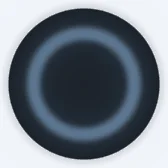 Request sent
“I’ve called someone.”
 On the way
“Tomasz will be here in 3 minutes.”
Staff arrivedSession ends
08 NOTES
In shortPlacement and signage make cPOD visible without keeping the light on.
A small device on a crowded rack disappears, and the ring is dark at rest. So visibility is a system of signs on three reading distances:
Macro (over 15 m) — store zones and hanging banners.
Meso (3–15 m) — blade signs, pillar wraps, floor graphics. This is where the shopper should spot cPOD.
Micro (under 2 m) — the button, a pictogram and one line: “Got a question? Press.”
Five mounting options were compared: wall or pillar, rack module, counter stand, freestanding stand and a mobile version. Wall or pillar is the reference for now.
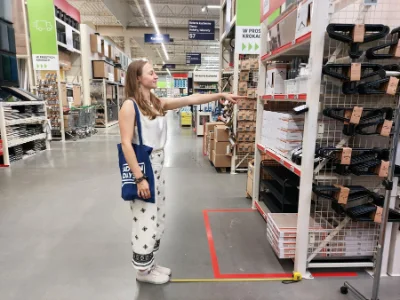
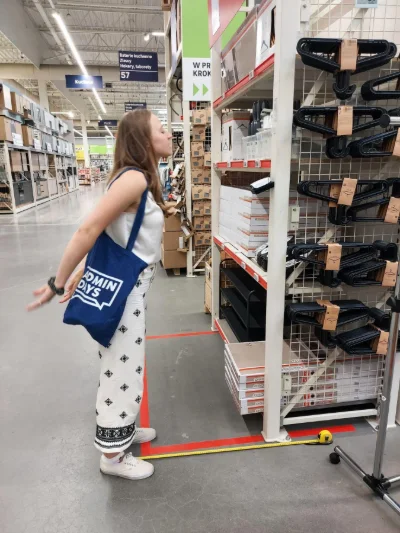
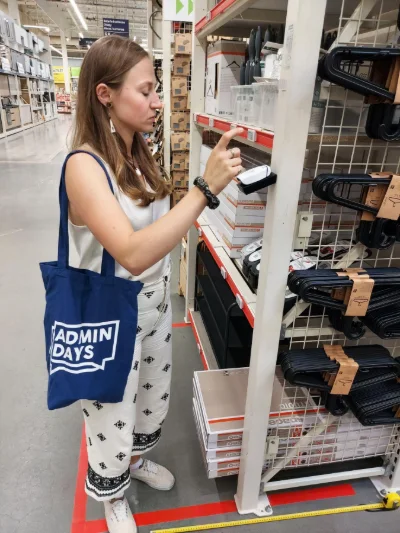
Working numbers: button at about 140 cm, speaking distance 30–40 cm, noticed from 5–10 m. The height still needs checking with wheelchair users and people pushing carts.
09 STATUS
In shortThe team now has one specification connecting scenarios, states, light, voice and placement.
MY PART
— Four user scenarios and the shared journey
— State map for three paths
— Colour and light language, ten patterns
— Rules for voice prompts
— Visibility guidelines and store-visit analysis
HANDED OVER
— State tables with colour, light and voice prompt for every state
— Reference animations for the electronics team
— Visibility and marking guidelines
— Brief for the industrial design team